
free · open source · native macOS
Team passwords, in your own Git.
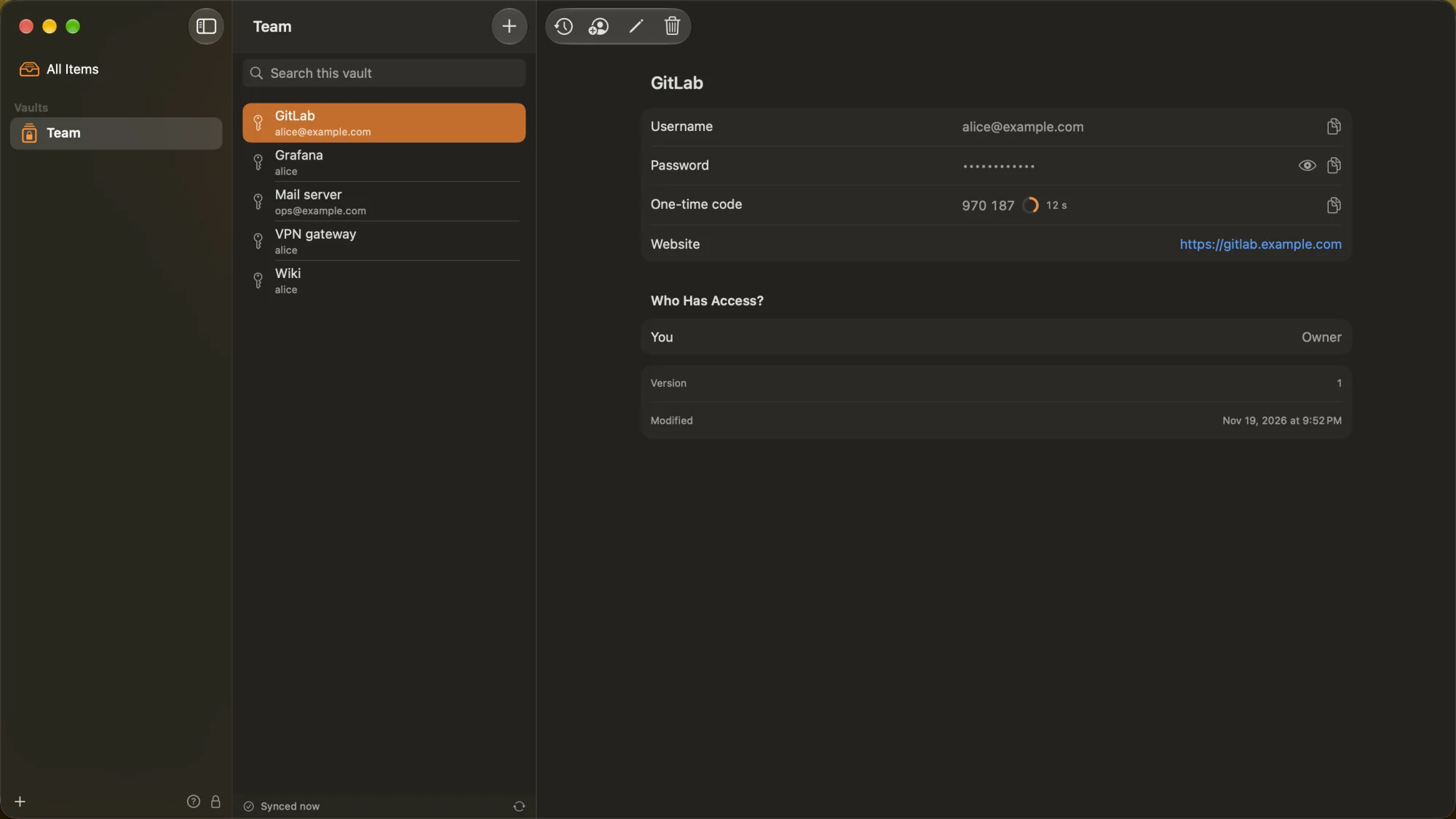
Headlock keeps your team's passwords end-to-end encrypted in a Git repository you already have – GitLab, GitHub, Gitea, any server reached over HTTPS. No server of its own, no master password: the Mac unlocks it with Touch ID or the login password. Every device checks the whole history before it shows anything.
Version 0.1.0 · pre-release · Release notes
macOS 27 or later · Developer ID signed & notarized · Apache-2.0
Written largely by AI – Anthropic's Claude. How it was made
- End-to-end encrypted
- Any Git server
- Roles per item
- Groups
- One-time codes
- Version history
- Offline
- Touch ID
- Backups
vaults · git
Your Git server keeps the vault. It never sees a password.
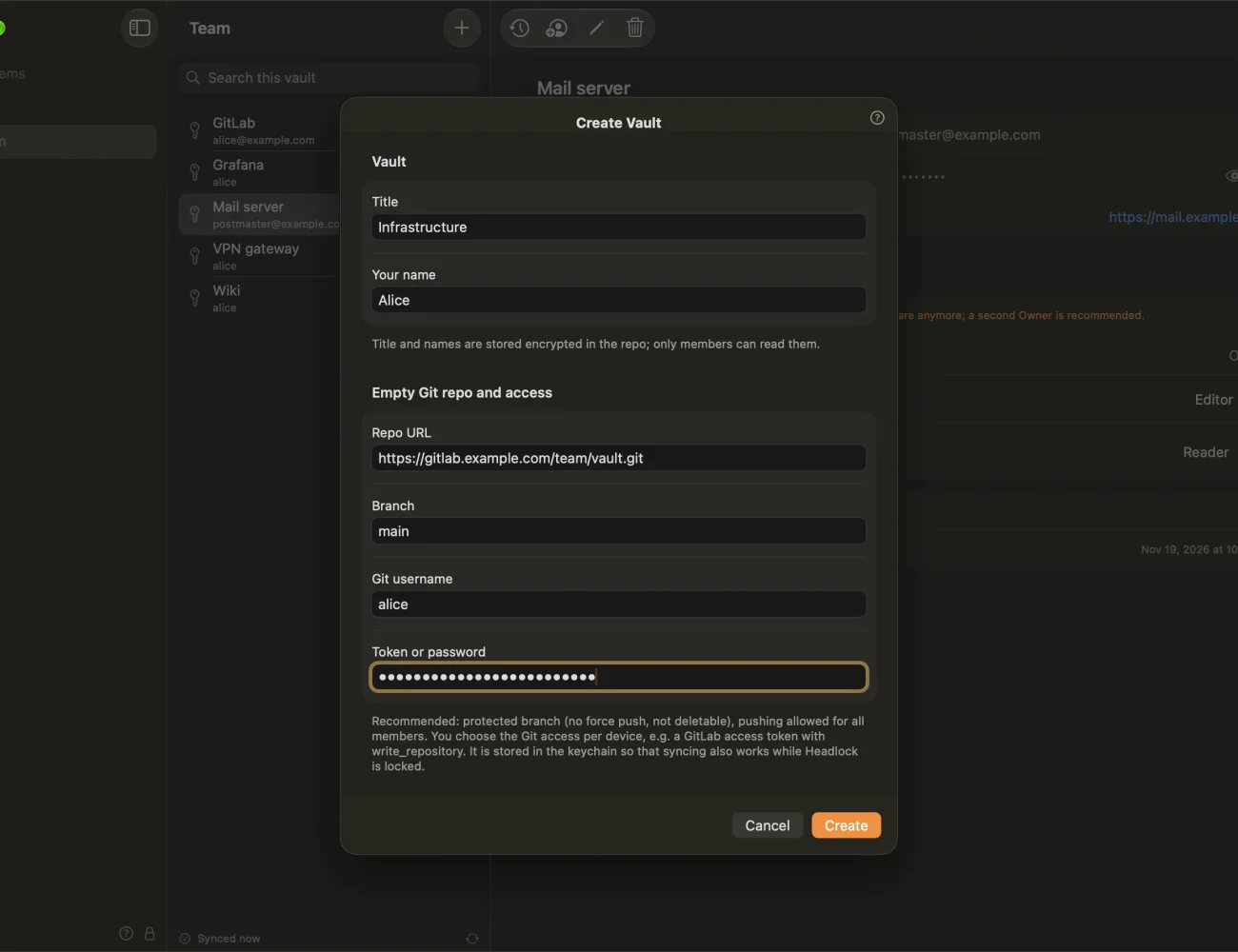
A vault is one private repository on a server you already run or rent. Headlock writes only ciphertext and signed files into it. Nothing else to host, nothing else to back up for IT than a repository.
- Any Git server over HTTPS – GitLab, GitHub, Gitea. One token per device, so a lost Mac is cut off by revoking just its token.
- The server is not trusted to keep the files honest: changes, deletions, rollbacks and rewritten history are detected, and the last state that passed every check stays.
- Several vaults side by side – one for the team, one for a project, each its own repository.
members · verification
Nobody joins by editing the repository.
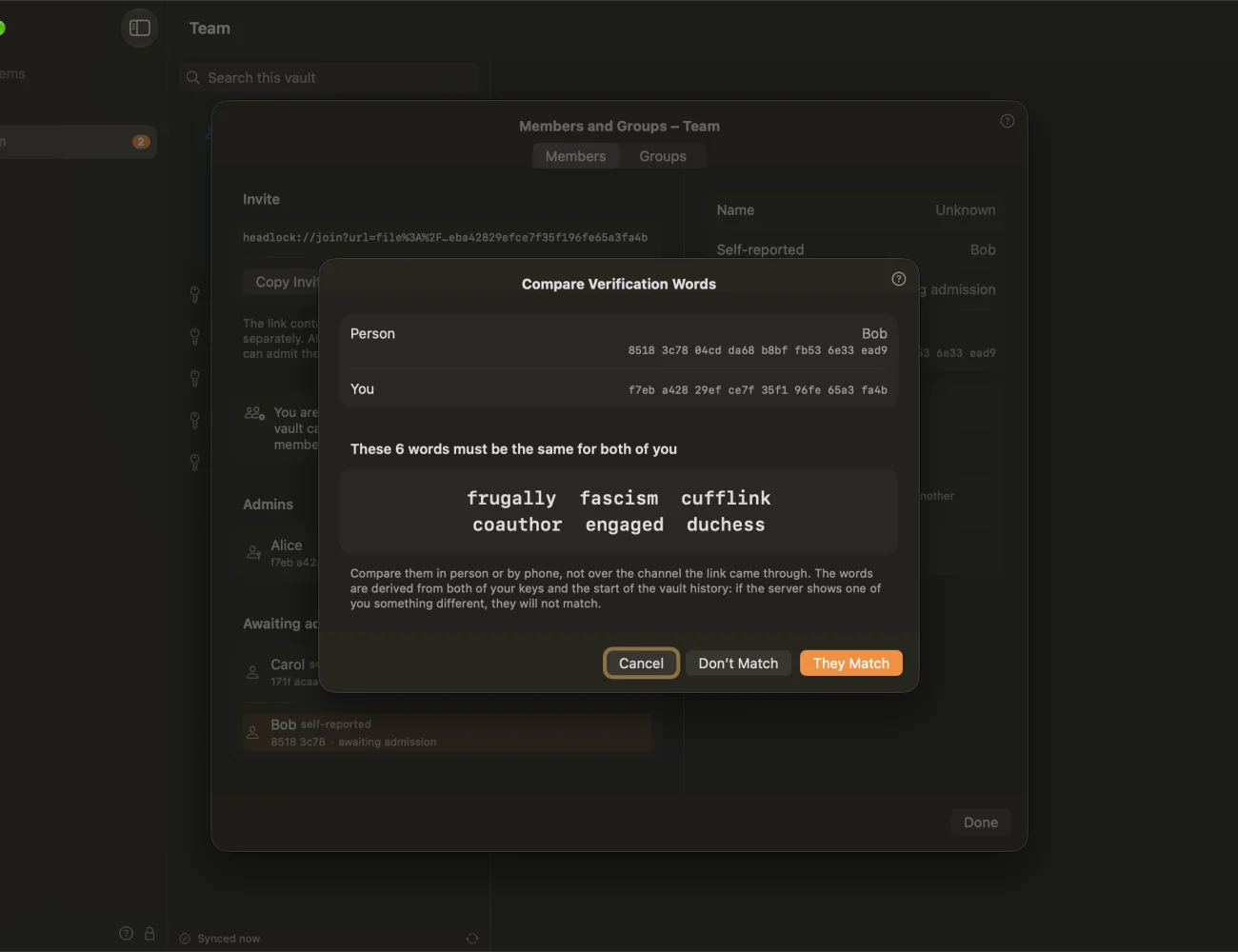
A new member opens an invite link. An admin admits them after both compare six verification words – side by side, or as a typed code. Only then does their key count.
- Write access is not membership. A key slipped into the repository is not active and can't read or sign anything that counts.
- Everything is logged for everyone: admissions, new admins, demotions, bans and takeovers show up as notices in every member's app.
- Banning someone stops their writes at once; their Git access is revoked on the server as usual.
sharing · roles
Private until you share it. Then Owner, Editor or Reader.
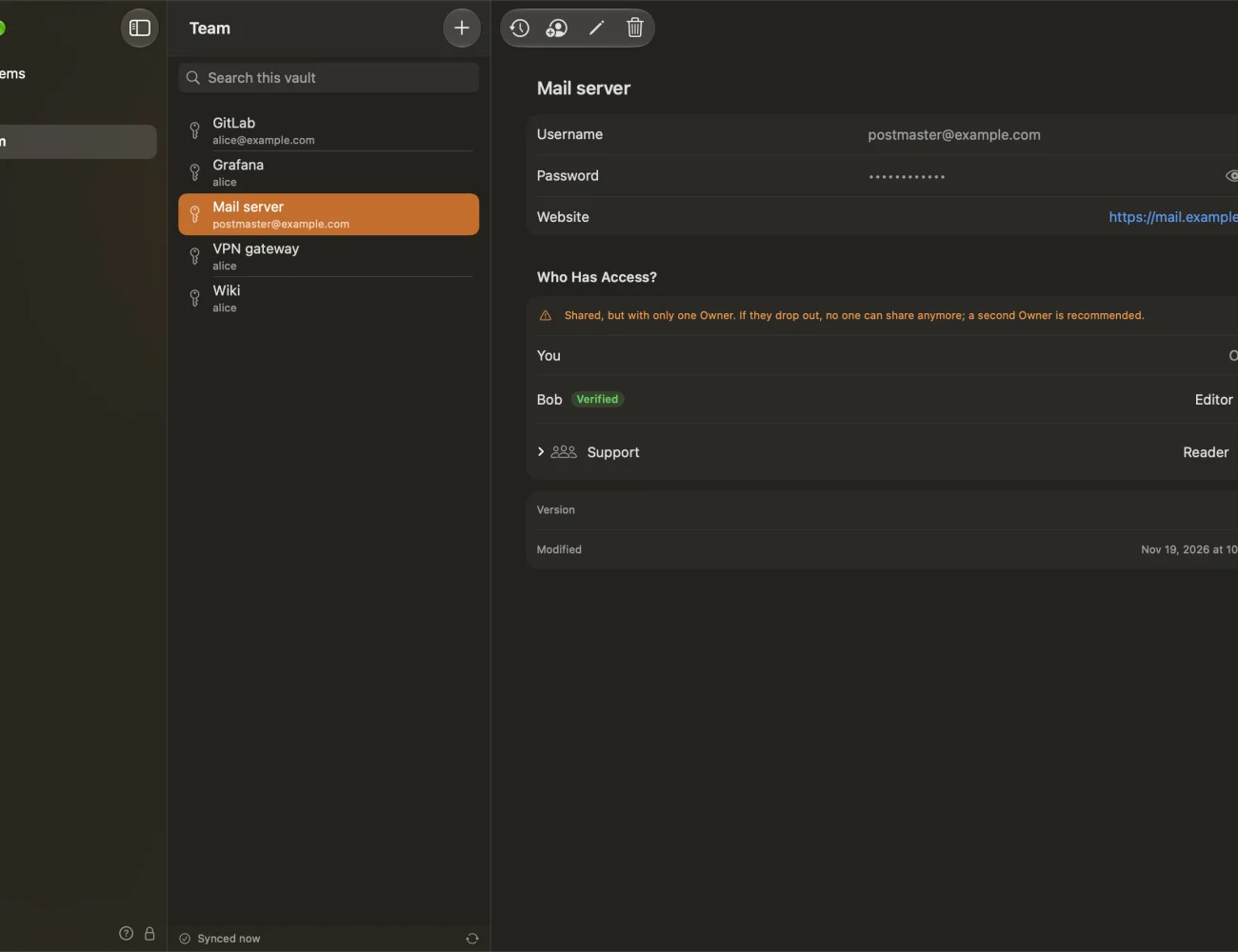
Every item has its own key and its own list of who may read it. Share a login with a person or a group; admins don't read items automatically.
- Roles per item: Owners share and delete, Editors change, Readers read.
- Groups with their own key and their own managers – share once with “Support” instead of with five people.
- Removing someone means a new key. The item is re-encrypted, and a checklist reminds the owners which passwords to change because that person knew them.
offline · history
Every change is a signed version. None gets lost.
Headlock works offline. Changes wait in a local outbox and are merged field by field when they meet someone else's edit of the same item.
- Version history with restore for every item, and a Trash.
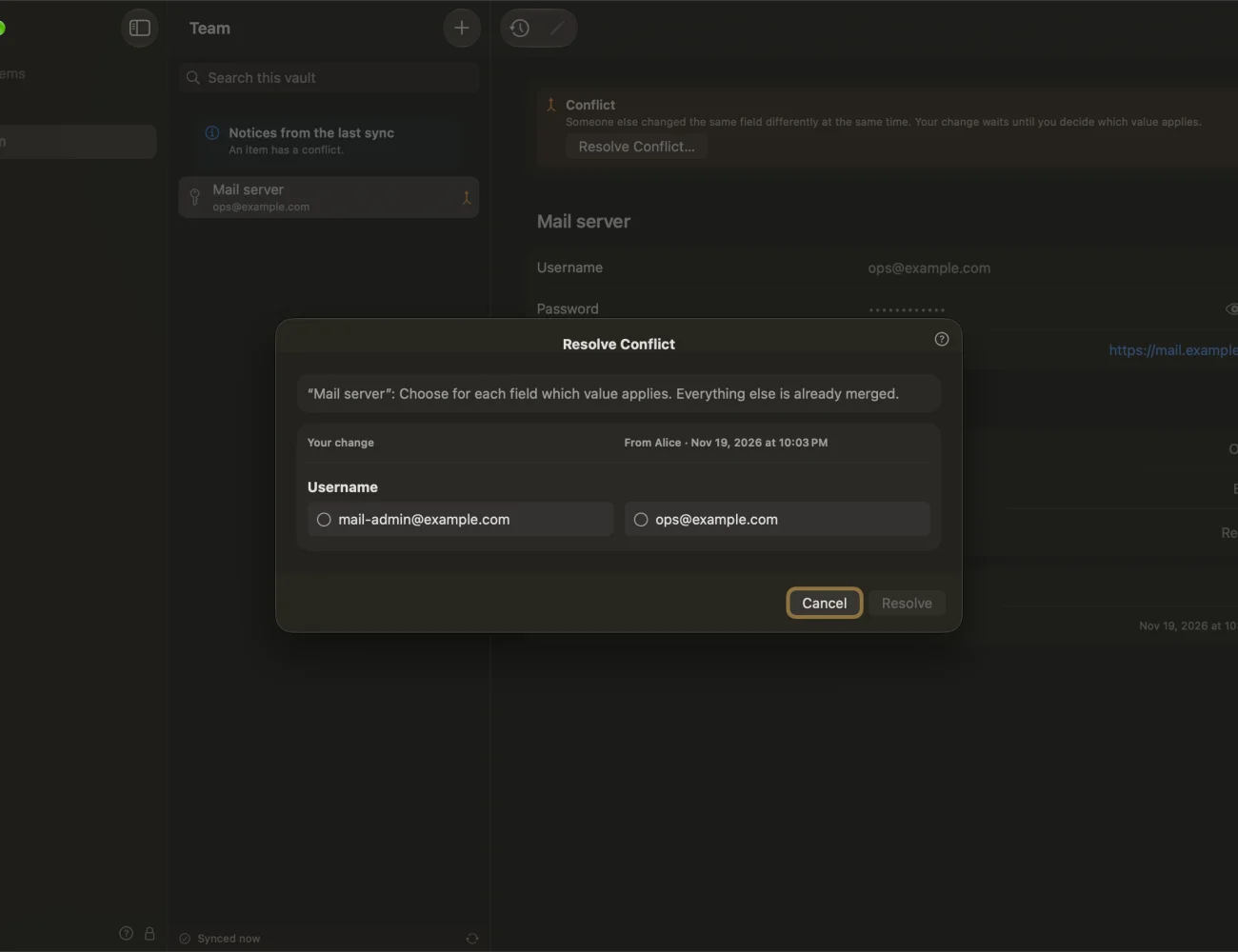
- Side-by-side conflict view when two people changed the same field – you pick, nothing is overwritten silently.
- A change that can't be pushed – because you lost access in the meantime – becomes a separate private item instead of disappearing.
validate before trusting
Every sync is checked before it is shown.
The repository is just storage. What counts is what each device can verify on its own, from the vault's first commit on.
-
Fetch
Plain Git over HTTPS. The server hands out ciphertext, public keys and signatures – nothing readable.
-
Validate
Signatures, roles, key epochs and bans, along the first-parent history – a crafted merge commit can't get around a ban.
-
Decrypt
Only what passed. Only the items your key was given. Nothing is re-serialized: signatures cover the exact bytes.
-
Keep or alarm
Anything that fails leaves the last good state in place and says so. Repair is your decision, never automatic.
the small things
Made for a team that has better things to do.
No master password
The Mac unlocks Headlock with Touch ID or the login password. One less secret to forget or write down.
One-time codes
TOTP in the login itself, from an otpauth:// link or a QR image. Shared like the password.
Generator
Random passwords and passphrases from the EFF word list.
Help mode
Every button, badge and notice explains itself – “What's This?” instead of a manual.
Backups
An encrypted personal backup per vault, by hand or weekly to a folder you choose. Admins can set rules for its password.
New Mac
Move to a new Mac with a transfer file and a one-time code, or restore from a backup.
Export
Plaintext export to JSON or CSV and an import – the emergency exit, behind a fresh Touch ID.
Two languages
English and German, every text and every help topic.
cat /proc/trust
It holds your team's passwords. Here is what it does with them.
A password manager is only as good as what it refuses to do. So this is what Headlock does – and doesn't.
- secrets
- Encrypted on the Mac, before they leave it. Each item has its own key (ChaCha20-Poly1305), wrapped to each reader with HPKE (RFC 9180). Titles, usernames and websites are encrypted too.
- keys
- Never in the repository, not even encrypted. Each person has an X25519 and an Ed25519 key per vault, kept on their Mac. They leave it only in a backup or transfer file you make yourself, protected by Argon2id.
- server
- Sees ciphertext and fingerprints. Anyone who can read the repository learns sizes, times, fingerprints and who shares with whom – not names, titles or contents. It can delete or roll back; it can't forge, and it can't do either unnoticed.
- telemetry
- None. The app talks to the Git servers you configured. The only other call is the update check against gitlab.com – once a day only if you say yes when the app asks, otherwise just when you click it. No device ID, vault or fingerprint is sent.
- updates
- Installed from within the app, on request. The download must match the release's SHA-256, be signed by the same Developer ID team with the same bundle ID and be notarized. Never a downgrade.
- not protected
- An unlocked Mac in the wrong hands. Whoever has your Mac password and your open session sees what you see. A banned member keeps what they already read – there is no remote wipe, on purpose: a compromised admin could otherwise destroy everyone's data.
- made with
- Anthropic's Claude. Designed and directed at Zoones. Most of the code and the specification were written by Claude Opus 5.5, most of the reviews by Claude Fable 5.2; this website by Claude Opus 5.5. Not audited yet. Like all of Headlock it comes as is, without warranty (Apache-2.0) – the source and the specification are open, so you can judge it yourself.
- source
- Swift 6, Apache-2.0. CryptoKit, libsodium, libgit2 with Mbed TLS. A specification precise enough for a second client, with test vectors a Python script checks from the spec alone. Read it, build it, break it.
install
Three steps, no installer.
- Download the DMG and drag Headlock into Applications.
- Create a vault in an empty private repository, or open the invite link a colleague sent you and compare the six words with an admin.
- Make a backup when the app offers it. Your keys live only on your Mac – the backup is what brings them back.
macOS 27 or later · Developer ID signed & notarized · Release notes
# one private repository per vault, over HTTPS
› https://gitlab.example.com/team/vault.git

# one token per device (GitLab: write_repository)
› revoke it, and that Mac is out

# protect the main branch
› no force push, no deletion

# at least two admins
› so nobody holds the vault alone
Honest status: a pre-release in internal testing, not audited; the formats may still change without migration. Don't keep your only copy of important secrets in it yet. Not built yet: AutoFill and passkeys in other apps (the data model is there, the extension isn't), browser extensions, the iPhone app, SSH, HOTP counters. The open list is in TODO.md.

Your repository. Your keys.
macOS 27 or later · Developer ID signed & notarized · free, Apache-2.0